game hub
A downloadable tool for Windows
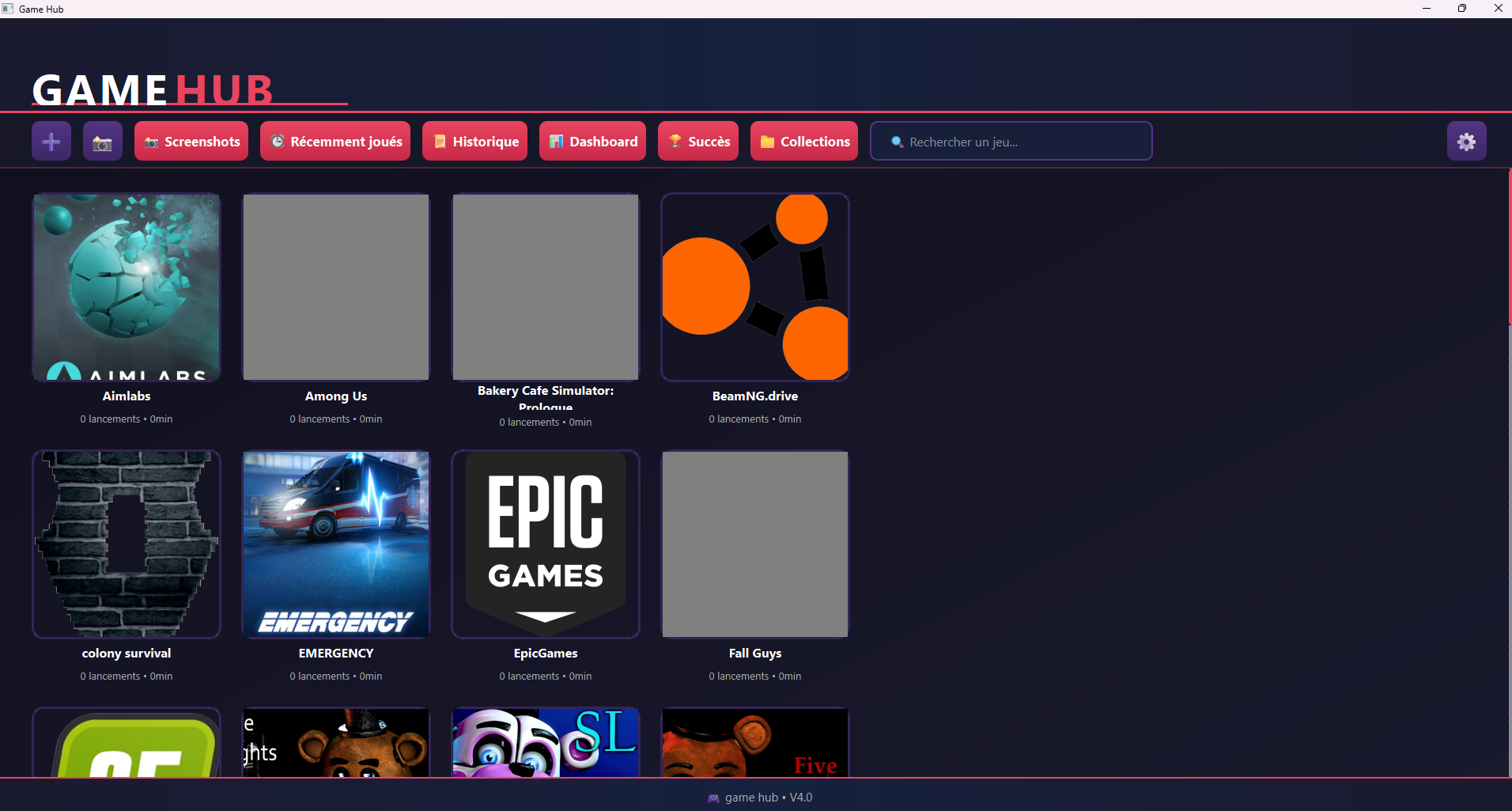
This software lets you centralize all your games in one place. Say goodbye to a cluttered desktop; now you have just one Game Hub icon.
Just a quick note: in the settings (the gear icon), you can change the language to English and the first launch can be long
Additionally, please note that the terminal that opens will be removed soon.
This software was developed and designed by crabygreen.
Logo created by lyziapro.
FR version:
ce logiciel vous permet de centraliser tous vos jeux en un seul logiciel fini le bureau remplis d'icon maintenant une seul icon game hub
petite précision dans paramètre (l'engrenage) on peut changer la langue en français ou anglais et le premier lancement peut être long
information en plus sachez le que le terminal qui s'ouvre seras retiré prochainement
ce logiciel a été développer et designer par Crabygreen
logo réaliser par Lyziapro
Download
Install instructions
Extract the RAR file, then open the Game Hub folder, then open `dist`, then open `gamehub.exe`.
To change the language (if needed), click on the gear icon, then click on fr, then en, and restart the software.
Tip: Create a desktop shortcut by doing the following:
On Windows 11: Right-click on the .exe file and select "Show more options," then "Send to desktop."
On Windows 10: Right-click on the .exe file and select "Send to desktop."
FR version:
extraire le fichier rar puis ouvrir le dossier game hub puis ouvrir dist puis ouvrir game hub.exe
changer langue (si besoin) cliquer sur l'engrenage puis cliquer sur fr et puis en et relancer le logiciel
astuce:metter un raccourci sur le bureau en fesais:
sur windows11:clique droit sur le .exe et afficher d'autre option ,envoyer vers bureau !
sur windows 10:clique droit on .exe et envoyer vers bureau
Leave a comment
Log in with itch.io to leave a comment.